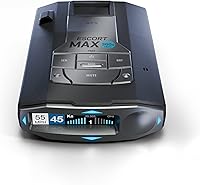
What Does a Radar Detector Do?
A radar detector receives certain radar signals near your car and alerts you; it does not measure your speed. Some models also sense laser signals, but no detector guarantees advance warning or identifies every enforcement method.
On this page (10 sections)
- What does a radar detector do when it receives a signal?
- How is a radar detector different from a radar gun?
- What do X, K, and Ka alerts mean?
- Does a radar detector pick up laser?
- What can GPS and voice alerts add?
- How do you choose a radar detector?
- How should you set up and use one?
- What common mistakes should you avoid?
- Does a radar detector help you drive safely?
- Which radar detector should you choose?
A radar detector receives certain radar signals near your car and alerts you; it does not measure your speed. If you're asking what does a radar detector do, think of it as a signal receiver that can help you notice supported radar nearby.
Some models also sense laser, but none guarantees advance warning.
An alert may show a band, signal strength, or spoken warning, depending on the device. It doesn't tell you with certainty where an officer is or whether a signal is aimed at your car.
The useful question is how you will use that information. A detector can remind you to check your speed and surroundings, but it can't replace attention, safe driving, or knowledge of local laws.
What does a radar detector do when it receives a signal?
A radar detector listens for radio signals in the bands it supports and alerts you when it senses one. The alert may be a sound, a display reading, or a voice message.
Police radar equipment sends radio waves and reads the returning signal to measure speed. A detector receives signals; it doesn't calculate your vehicle's speed or show how fast you are going.
False alerts can come from devices in or near traffic, including vehicle safety systems. Filtering features may reduce some repeated or vehicle-related alerts, but an alert still needs your judgment.
If you hear a warning, keep your hands steady, check your speedometer, and continue driving safely. Don't make a sudden move or assume the signal identifies a particular source.
How is a radar detector different from a radar gun?
A radar gun measures speed, while a detector receives radar signals. Although both use radar, they have different jobs.
A detector doesn't identify a specific officer, prove enforcement is nearby, or confirm that a signal is directed at your vehicle. Its alert is information to consider, not a speed reading.
For a broader overview of device types and features, see our plain-English guide to radar detectors for cars.
What do X, K, and Ka alerts mean?
X, K, and Ka are labels for radar bands that a detector may monitor. The bands your device supports determine which types of radar signals it can sense.
K and Ka are common alert labels. A band name doesn't tell you the source's exact distance, whether it is moving, or whether enforcement is nearby.
The Cobra RAD 390 supports X, K, and Ka bands. It suits drivers who want adjustable sensitivity and filtering while monitoring those common band types.
Read our guide to K band vs Ka band alerts to learn what those labels can and can't tell you. A quiet detector still isn't proof that the road ahead is clear.
Does a radar detector pick up laser?
Some detectors can sense laser signals, but that doesn't guarantee early warning. Laser equipment uses a narrow beam aimed at a vehicle, so an alert may come when the vehicle is already being targeted.
The Cobra RAD 480i has front and rear LaserEye detection. It's a fit if you want a detector that can sense laser signals from either direction, along with shared alerts from the Drive Smarter community.
The RAD 480i also works with Apple CarPlay and Android Auto for viewing route information and interacting with alerts on a vehicle display. Skip it if you don't want Bluetooth or community features and prefer a simpler setup.
A laser alert is not a shield against a reading. Stay calm and attentive instead of braking sharply or changing lanes in response.
For more on this limitation, read whether radar detectors pick up lidar guns.
What can GPS and voice alerts add?
GPS and voice alerts can help manage repeated warnings and provide information without requiring you to watch the display. They add convenience, but they don't change what the detector can sense.
The Uniden R3 has GPS mute memory for common false alerts along regular routes. Its voice alerts provide spoken warnings, and its preloaded red-light and speed-camera locations can be kept current with free database and firmware updates.
Choose the R3 if those features matter to your routine and you want a multi-color OLED display. Skip it if you don't need GPS or camera-location reminders and would rather keep the feature set simple.
Camera-location alerts rely on stored locations. They are different from detecting a live radar signal, so keep watching signs and the road.
How do you choose a radar detector?
Choose by the alerts you want, the features you'll use, and how much setup you are willing to manage. More features don't help if you find them distracting or don't need them.
Start by deciding whether you want radar detection only, laser sensing, GPS memory, voice alerts, or connected community information. Check which bands the detector supports, then consider whether you want to hear alerts, manage them from a display, or adjust sensitivity.
Here is a practical way to narrow these three options:
- Choose the Uniden R3 if GPS mute memory, voice alerts, and preloaded camera-location alerts fit your regular routes.
- Choose the Cobra RAD 480i if front and rear laser sensing, Bluetooth, shared alerts, or compatibility with a vehicle display matter to you.
- Choose the Cobra RAD 390 if you want X, K, and Ka band support with adjustable sensitivity and filtering modes.
Skip a detector if you expect it to measure your speed, prevent a ticket, or guarantee warning before enforcement. If you want more selection advice, read what to look for in a radar detector.
How should you set up and use one?
Set up the detector before driving so its position and alerts don't distract you on the road. Follow the included mounting and power instructions, and place the display where you can see it without taking your eyes far from traffic.
The RAD 480i includes a 12V vehicle power cord, a suction cup windshield mount, and a hook-and-loop fastener for dash mounting. The RAD 390 includes a USB-C power cord, a USB-C to cigarette-lighter adapter, and an adhesive windshield mount with static cling film.
With any model, secure the device and its cable so they don't interfere with your view or controls. Adjust alert volume and sensitivity while parked, and use voice alerts if checking a display would pull your attention away from the road.
For a step-by-step walkthrough, see how to install a radar detector. Check local rules before mounting or using a detector, since legal restrictions differ by place; our guide explains where radar detectors are illegal.
What common mistakes should you avoid?
The biggest mistake is treating an alert, or the lack of one, as a reason to change your speed suddenly. A detector is only one source of information, and it can miss signals outside its capabilities.
Avoid these habits:
- Don't speed because the detector is quiet. It may not sense a signal, or the signal may be blocked or outside its supported bands.
- Don't assume every alert means enforcement is nearby. Other devices can cause false alerts.
- Don't stare at the display or reach for controls while moving. Set preferences before you start.
- Don't treat laser detection as protection from a laser reading. A narrow beam can offer little warning.
- Don't ignore updates for features that rely on current software or location information. The R3 offers free database and firmware updates, and the RAD 390 supports firmware updates.
Does a radar detector help you drive safely?
A detector can provide information, but safe driving depends on following the limit and paying attention. Use alerts as prompts to check your speed and surroundings, not as permission to speed.
Store and handle the device according to its instructions, keep the mount secure, and check that the cable and display stay out of your way. If a mount shifts or an alert setting becomes distracting, adjust it while parked.
To understand how performance can vary, read whether radar detectors still work.
Which radar detector should you choose?
Pick the Uniden R3 for GPS mute memory and voice alerts, the Cobra RAD 480i for front and rear laser sensing with shared alerts, or the Cobra RAD 390 for adjustable sensitivity and filtering. Skip all three if you expect a detector to measure speed or guarantee warning before enforcement.
Choose the features that suit your routes and setup, then drive within the posted limit whether the detector alerts or stays quiet. For practical use guidance, see how to use a radar detector legally.
Frequently asked questions
What does a radar detector detect?
A radar detector receives radio signals in the radar bands it supports and alerts when it senses one. Some models also sense laser signals, but their capabilities vary.
An alert is a cue to pay attention, check your speed, and drive safely.
It does not prove that a specific enforcement action is taking place.
Does a radar detector measure your speed?
No. A radar detector receives signals; it doesn't measure your vehicle's speed.
A police radar gun measures speed by sending a signal and reading its return.
Check your speedometer and follow posted limits rather than using detector alerts to decide how fast to drive.
Can a radar detector detect laser?
Some radar detectors can sense laser signals, but a laser alert may come too late to provide useful advance warning. Laser beams are narrow and aimed at a specific vehicle.
A detector also can't block a laser reading or make a vehicle invisible to laser measurement.
Does a radar detector guarantee warning before a ticket?
No detector guarantees advance warning or prevents a ticket. A signal may be brief, blocked, or outside the detector's supported range, and laser can be aimed at one car.
Treat alerts as reminders to drive within the limit, not as permission to speed.