9 Best Radar Detectors With Bluetooth and Phone Alerts (October 2026)
The best radar detectors with Bluetooth and phone alerts include the Uniden R8W for directional app users, the Uniden R4W for route memory, and the Cobra RAD 700i for car-screen alerts.
On this page (8 sections)
- How we chose radar detectors with Bluetooth
- How do Bluetooth, GPS and Wi-Fi differ?
- How do these phone-connected detectors compare?
- Radar detector with Bluetooth picks for different needs
- What should you check before choosing a Bluetooth detector?
- How should you set up and use a Bluetooth radar detector?
- What common mistakes should you avoid?
- Which Bluetooth radar detector should you choose?
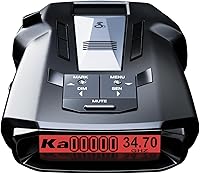
The Uniden R8W is the best radar detector with Bluetooth for drivers who want GPS, voice alerts and directional arrows. Choose the Cobra RAD 700i for shared alerts with CarPlay or Android Auto compatibility, or the Uniden R4W for an app-connected setup with GPS memory.
A phone connection can mean several things. Depending on the model, Bluetooth may link to a community alert service, display threat details in an app or work alongside GPS memory and Wi-Fi updates.
Start with the feature you expect to use on most drives. Our guide to what to look for in a radar detector explains how range, filtering and alert types shape a buying decision.
Our picks at a glance
-
1

-
2
-
3

How we chose radar detectors with Bluetooth
We compared stated connectivity, alert features and route tools to identify the models that serve different drivers. The most useful Bluetooth setup is the one that connects to an app and provides the information you want without adding distractions.
A detector may pair with a phone but still differ in what that connection does. We considered named apps, shared alerts, GPS functions, Wi-Fi support and compatibility with vehicle displays, along with whether each model adds directional information or filtering controls.
Bluetooth itself does not improve radar detection. It is a connection method, so buyers should compare the detector’s alert and filtering features separately from its phone support.
How do Bluetooth, GPS and Wi-Fi differ?
Bluetooth connects a detector to a compatible phone or app, GPS can support location-based features, and Wi-Fi can handle some software updates. These tools serve different jobs and should not be treated as interchangeable.
On the Uniden R8W and R4W, Bluetooth and Wi-Fi come with built-in GPS and R/TACH app support. The Escort MAX 360c MKII combines Bluetooth and dual-band Wi-Fi with GPS AutoLearn, while the Cobra RAD 700i pairs Bluetooth with GPS AutoLearn and Drive Smarter community alerts.
If you mainly want reports from other drivers, compare app and community support. If you want fewer repeat alerts around places you visit often, focus on the model’s GPS memory or filtering tools.
A phone app can also add information that a small detector display cannot show as clearly. That can be useful when parked or setting up, but your attention should stay on the road while driving.
How do these phone-connected detectors compare?
The models differ in the connection they offer and the information available with alerts. Use the table to narrow the list by app, display support, GPS and directional features.
| Product | Best for | Connectivity | Directional awareness | GPS | Our score |
|---|---|---|---|---|---|
| Uniden R8W | directional app users | Bluetooth, Wi-Fi, R/TACH app | Dual antennas with visual arrows and voice alerts | Built-in, with auto-mute memory | 9.2 |
| Uniden R4W | route memory | Bluetooth, Wi-Fi, R/TACH app | Built-in, with auto-mute memory | 8.7 | |
| Cobra RAD 700i | car-screen alerts | Bluetooth, Drive Smarter community | Built-in, with AutoLearn | 8.6 | |
| Escort MAX 360c MKII | wireless updates | Bluetooth, dual-band Wi-Fi, Drive Smarter app | Dual antennas with arrows | AutoLearn for repeat routes | 8.5 |
| Cobra RAD 480i | flexible mounting | Bluetooth, Cobra iRadar app | 8.3 | ||
| Valentine One Gen 2 | phone threat details | Bluetooth 5.0, V1Connection app | Directional indicator and rear radar antenna | 8.2 | |
| Escort MAX 360 MKII | arrows and GPS | Bluetooth, Drive Smarter app | Dual antennas with arrows | AutoLearn for repeat routes | 8.1 |
| Cobra RAD 490i | alert control | Bluetooth, Drive Smarter community | 8.0 | ||
| Escort MAX 3 | repeat commutes | Bluetooth, Drive Smarter community | AutoLearn for repeat routes | 7.9 |
Radar detector with Bluetooth picks for different needs
The Uniden R8W is the strongest fit here for combining phone connectivity with directional alerts. The other picks suit drivers who place more value on shared alerts, app access, route filtering, adjustable sensitivity or a vehicle display connection.
How a radar detector with Bluetooth fits your route
A connected detector is most useful when its app feature matches your driving routine. Regular commuters may value GPS memory, while drivers who want community reports should look for a model tied to a shared-alert service.
The detector still works as a road-alert device, so choose its core features before treating Bluetooth as the deciding factor. Directional arrows help explain where a signal is coming from, for example, while GPS memory addresses repeat alerts at familiar locations.
Uniden R8W: Best for directional app users
- Dual antennas and directional arrows
- Bluetooth, Wi-Fi and GPS
- R/TACH app support
- Auto-mute memory
Dual antennas, arrows and voice alerts show the direction and type of detected threat. Bluetooth, Wi-Fi and R/TACH app support add phone connectivity.
Pros
- Directional arrows and voice alerts
- GPS auto-mute memory
- Red light and speed camera alerts
Cons
- Choose a simpler model if you do not need directional arrows
The Uniden R8W suits drivers who want Bluetooth, GPS and directional context in one windshield-mount detector. Its dual antennas detect from all four directions, and arrows and voice alerts identify the direction, band type and signal strength.
Built-in GPS supports auto-mute memory for repeat false-alert locations. R/TACH app support, Wi-Fi and Bluetooth add phone connectivity, and it includes red-light and speed-camera alerts.
Choose the R8W if you want the detector itself to provide directional information while your phone handles connected features. Skip it if you would not use arrows and prefer a simpler setup without that feature.
For a direct comparison with another directional option, see our Uniden R8W vs Valentine One Gen 2 guide. The R8W is the stronger match if GPS memory and Wi-Fi matter alongside Bluetooth.
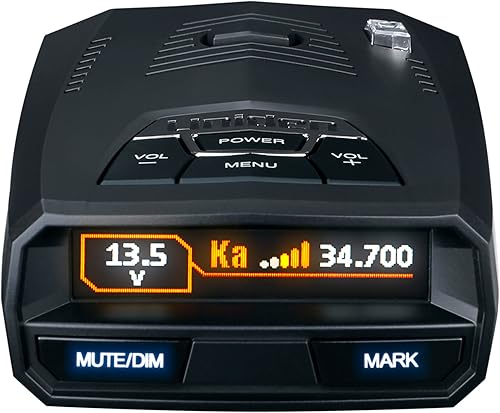
Uniden R4W: Best for route memory
- Bluetooth, Wi-Fi and GPS
- R/TACH app support
- OLED display
- Auto-mute memory
The R4W pairs Bluetooth and Wi-Fi with GPS, voice alerts and a color OLED display. It offers app connectivity without the R8W's dual antennas and directional arrows.
Pros
- Bluetooth and Wi-Fi connectivity
- GPS auto-mute memory
- Voice alerts
Cons
- No directional arrows described
The Uniden R4W suits drivers who want app connectivity and GPS memory without directional arrows. It includes Bluetooth, Wi-Fi, built-in GPS and R/TACH app support, plus voice alerts on a color OLED display.
Its auto-mute memory can remember false-alert locations along your routes. Uniden also describes K/Ka filtering to reduce alerts from blind-spot monitoring and collision-avoidance systems.
Choose the R4W if you want a connected Uniden with route memory and do not need the R8W’s dual antennas and directional arrows. Skip it if you consider direction cues essential when interpreting an alert.
Read our Uniden R4W vs R7 comparison if you are weighing another GPS-equipped Uniden detector. It helps focus the choice on the features you expect to use.
Cobra RAD 700i: Best for car-screen alerts
- Bluetooth and Drive Smarter community alerts
- Apple CarPlay and Android Auto compatibility
- GPS AutoLearn
- Front and rear detection
Bluetooth connects to the Drive Smarter community for shared alerts, while CarPlay and Android Auto compatibility supports viewing route and alert information on the vehicle display.
Pros
- Shared alerts through Drive Smarter
- CarPlay and Android Auto compatibility
- GPS AutoLearn
Cons
- No directional arrows described
The Cobra RAD 700i fits drivers who want shared community alerts and car-screen compatibility. Bluetooth connects to Drive Smarter, and Apple CarPlay and Android Auto compatibility lets you view your route and interact with alerts on a vehicle display.
GPS-based AutoLearn can recognize and reduce false signals at repeat locations over time. The RAD 700i detects radar from both the front and rear and has a customizable five-color OLED display.
Choose this model when shared reports and a compatible car display are central to your setup. Skip it if you mainly want directional arrows, since none are described for this detector.
For a Cobra comparison, read our Cobra RAD 480i review, which covers its app connection and mounting options. The RAD 700i is the better fit when car-screen compatibility is a priority.
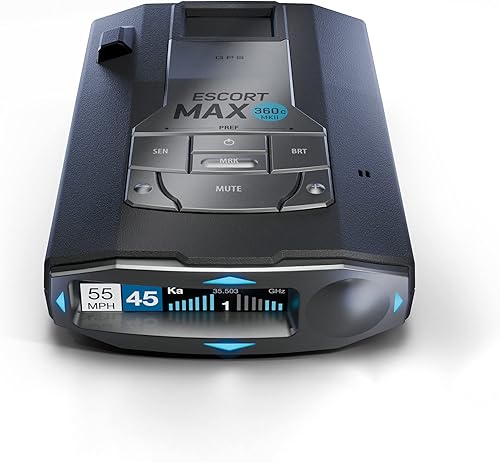
Escort MAX 360c MKII: Best for wireless updates
- Bluetooth and dual-band Wi-Fi
- Directional arrows
- Drive Smarter shared alerts
- GPS AutoLearn
Dual antennas and arrows identify threat direction, while Bluetooth and dual-band Wi-Fi connect it to the Drive Smarter app and over-the-air software updates.
Pros
- Directional arrows
- Dual-band Wi-Fi for over-the-air updates
- Shared alerts and GPS AutoLearn
Cons
- Consider a simpler option if arrows and Wi-Fi updates are not priorities
The Escort MAX 360c MKII combines Bluetooth and dual-band Wi-Fi with directional arrows and shared alerts. Its dual antennas detect threats from all four directions, while GPS AutoLearn can learn repeat routes and reject false alerts from specific locations.
Wi-Fi supports over-the-air software updates, and Bluetooth connects it to the Drive Smarter community for shared alerts. CarPlay and Android Auto compatibility supports viewing route information and interacting with alerts on a vehicle display.
Choose this Escort if you want arrows, phone connectivity, updates and shared alerts in one setup. Skip it if you only need a phone connection and do not plan to use the extra display and update features.
Cobra RAD 480i: Best for flexible mounting

- Bluetooth and iRadar app
- Drive Smarter shared alerts
- Front and rear detection
- Windshield or dash mounting
Bluetooth links the RAD 480i with the Cobra iRadar app for community alerts. Its package includes a windshield mount and a fastener for dash mounting.
Pros
- Bluetooth app connectivity
- Community shared alerts
- Two mounting options included
Cons
- No built-in GPS auto-mute feature described
The Cobra RAD 480i suits drivers who want Bluetooth app access and community alerts. Bluetooth connects it to the Cobra iRadar app for shared alerts from the Cobra driving community.
It has front and rear detection, and the package includes a suction-cup windshield mount and a hook-and-loop fastener for dash mounting. Those two mounting choices are useful if you want to compare a windshield position with a dash position.
GPS auto-mute memory is not described for this model, so choose it for app-connected alerts rather than route-based filtering. Skip it if automatic location memory is a key part of your plan.
For practical mounting advice, see our guide to installing a radar detector. Positioning and visibility should be settled before you decide which alerts you can comfortably read.
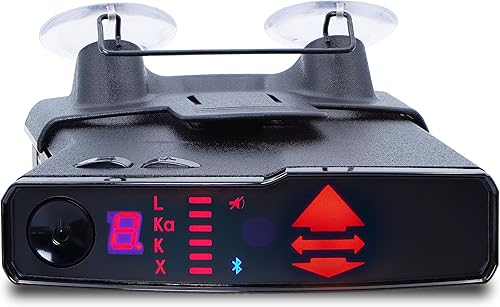
Valentine One Gen 2: Best for phone threat details
- Bluetooth 5.0
- V1Connection app for Apple and Android
- Directional indicator
- Rear radar antenna
Bluetooth 5.0 connects the detector to the V1Connection app on Apple or Android phones and tablets. A directional indicator and rear radar antenna add context to alerts.
Pros
- Bluetooth 5.0 phone connection
- Directional indicator
- Rear radar antenna
Cons
- GPS filtering is not described
The Valentine One Gen 2 suits drivers who want Bluetooth app connectivity with directional information. Bluetooth 5.0 connects with the V1Connection app on Apple or Android phones and tablets, while the detector has a directional indicator and rear radar antenna.
The app provides a live stream of threat information, giving the phone a role in interpreting alerts. GPS filtering is not described, so this is less suited to buyers who specifically want route-based auto-muting.
Choose it if phone-based threat information and a directional indicator matter more than GPS memory. Skip it if your main concern is reducing repeat alerts at familiar locations.
If GPS memory matters more, the Uniden R4W or Escort MAX 3 may be a closer match. Compare the expected app use with the route features before choosing.
Escort MAX 360 MKII: Best for arrows and GPS

- Bluetooth connectivity
- Directional arrows
- Drive Smarter shared alerts
- GPS AutoLearn
This MAX 360 model combines Bluetooth app connectivity and shared alerts with dual antennas, directional arrows and GPS AutoLearn.
Pros
- Directional arrows
- Bluetooth and shared alerts
- GPS AutoLearn
Cons
- Wi-Fi updates are not described
The Escort MAX 360 MKII is a fit for drivers who want Bluetooth, directional arrows and GPS AutoLearn. Dual antennas detect from all four directions, and the arrows indicate the direction of a threat.
Bluetooth connects it to the Drive Smarter community for shared alerts. GPS-based AutoLearn can learn repeat routes and reject false alerts from specific locations, while dual-band Wi-Fi updates are not described for this model.
Choose this MAX 360 if arrows and route memory rank above Wi-Fi updates. Skip it if you want the specific over-the-air update support described for the MAX 360c MKII.
Our guide to radar detectors for cars covers core features and setup choices that can help narrow down models. The useful comparison is the one that matches your route and the information you want at a glance.
Cobra RAD 490i: Best for alert control

- Bluetooth
- Drive Smarter shared alerts
- Adjustable sensitivity and filtering modes
- Firmware updates
Bluetooth supports shared alerts, while adjustable sensitivity and filtering modes let you control how many notifications you receive. Firmware updates are also supported.
Pros
- Adjustable filtering modes
- Shared alerts
- Firmware updates
Cons
- GPS auto-mute memory is not described
The Cobra RAD 490i suits drivers who want Bluetooth shared alerts and control over filtering. Its adjustable sensitivity and filtering modes let you control how many notifications you receive, and firmware updates are supported.
Bluetooth connects to the Drive Smarter community for shared alerts. GPS auto-mute memory is not described, so choose it when adjustable filtering matters more than location-based learning.
It includes an adhesive windshield mount with a detachable bracket and adjustable angle. Choose it if you value mounting adjustment and alert controls; skip it if automatic GPS learning is essential.
Escort MAX 3: Best for repeat commutes

- Bluetooth connectivity
- GPS AutoLearn
- Variable speed sensitivity
- Defender camera database
Bluetooth connectivity and GPS AutoLearn support a connected setup with route-based false-alert filtering. Variable speed sensitivity and a camera database add useful alert controls.
Pros
- GPS AutoLearn
- Variable speed sensitivity
- Camera database access
Cons
- No directional arrows described
The Escort MAX 3 suits drivers who want Bluetooth connectivity with route-based filtering. GPS AutoLearn can learn repeat routes and reject false alerts at specific locations, while variable speed sensitivity adjusts detector sensitivity based on speed.
It provides access to the Defender Database for red-light and speed-camera alerts. Bluetooth and Drive Smarter community features support connected alerts, but directional arrows are not described.
Choose the MAX 3 if GPS learning and variable sensitivity matter more than arrows or Wi-Fi. Skip it if you want directional cues to identify where an alert is coming from.
What should you check before choosing a Bluetooth detector?
Check the app, alert type and route tools before choosing a Bluetooth detector. A phone connection can provide shared reports, app-based threat details or other features, depending on the model.
- App support: R/TACH, Drive Smarter, iRadar and V1Connection appear across these picks. Confirm your phone supports the app you plan to use.
- Shared alerts: Cobra and Escort models with Drive Smarter support shared alerts from other drivers.
- GPS filtering: AutoLearn or auto-mute memory can help reduce repeat false alerts at familiar locations.
- Car display support: The Cobra RAD 700i and Escort MAX 360c MKII describe CarPlay and Android Auto compatibility.
- Directional information: The Uniden R8W, Escort MAX 360c MKII, Escort MAX 360 MKII and Valentine One Gen 2 include directional cues.
- Mount and power: Check where you can place the detector and how its cord will reach power without blocking your view or controls.
- Alert habits: Consider whether you want spoken alerts, display information or phone details. An app is useful only if its information is easy to understand without pulling your focus away from driving.
The K Band vs Ka Band guide explains what those common alert types mean. Understanding the terms can make voice alerts and detector settings easier to interpret.
A connected detector still needs safe, legal use. Rules vary by location and vehicle, so check our guide to using a radar detector legally before installing one.
How should you set up and use a Bluetooth radar detector?
Set up the detector while parked, then pair its app and adjust alerts before starting a drive. This gives you time to check the mount, power connection, phone compatibility and notification settings without dividing your attention on the road.
Place the detector where its display is visible but does not block your view. Secure the cord so it does not interfere with steering, pedals or other controls, and make sure the unit stays firmly attached when the car moves.
Install the companion app and follow its pairing steps. App names differ by brand, so confirm you have the intended one before granting access or enabling notifications.
Once paired, review which alerts should appear on the detector, phone or compatible vehicle display. Keep the information you need easy to recognize, and silence or simplify notifications that create unnecessary distraction.
For GPS memory features, use the detector on familiar routes and follow its instructions for marking or learning repeat false-alert locations. Do not assume Bluetooth itself remembers locations; that function comes from GPS features such as AutoLearn or auto-mute memory.
Check for firmware or database update options when you first set up the unit and periodically afterward. The R8W and R4W include free database and firmware updates, the MAX 360c MKII supports over-the-air software updates, and the RAD 490i supports firmware updates.
What common mistakes should you avoid?
The most common buying mistake is treating Bluetooth as a guarantee of a particular app feature. Verify whether the model offers shared alerts, GPS memory, threat details, car-screen compatibility or updates, because each is a separate capability.
Another mistake is choosing a detector based on a long feature list without deciding which alerts you will use. If direction is important, select a model with arrows or a directional indicator; if repeat false alerts are the concern, focus on GPS learning or filtering.
Do not assume every phone connection works with every display. The RAD 700i and MAX 360c MKII describe CarPlay and Android Auto compatibility, but other models may connect to a phone app without those vehicle-display features.
Finally, do not mount or configure a detector while driving. Set it up while parked, keep the screen and cord clear of critical controls, and follow local laws on detector use.
Which Bluetooth radar detector should you choose?
Choose the Uniden R8W if you want Bluetooth, GPS memory and arrows together; pick the Cobra RAD 700i if shared alerts on a compatible car display matter most. The Uniden R4W suits a simpler app-connected setup with GPS, while the Cobra RAD 480i provides Bluetooth community alerts and two mounting options.
For direction cues with connected alerts, choose one of the Escort MAX 360 models or the Valentine One Gen 2. For adjustable notification filtering, consider the Cobra RAD 490i; for GPS AutoLearn with variable sensitivity, consider the Escort MAX 3.
The best radar detector with Bluetooth is the one whose app, filtering and alert style fit your normal routes. Match those functions to your needs, set the unit up while parked, and check local rules before using it.
Our top 3 picks at a glance
-
1
-
2
-
3
Frequently asked questions
What does Bluetooth do on a radar detector?
Bluetooth connects a compatible detector to a phone app, which may provide shared alerts or route information. The app may also show threat details.
The features depend on the detector and its app.
Check whether the app supports your phone and whether it needs an account or data connection before choosing a model.
Can Bluetooth radar detectors show alerts on CarPlay?
Some can. The Cobra RAD 700i and Escort MAX 360c MKII are described as compatible with Apple CarPlay and Android Auto.
These systems let you view route information and interact with alerts on the vehicle display.
Confirm which app features appear on your car screen before choosing a detector for that use.
Do Bluetooth radar detectors need GPS?
No. Bluetooth and GPS serve different roles.
Bluetooth links a detector with a phone, while GPS can support route memory or location-based alerts.
Several picks here pair Bluetooth with GPS AutoLearn or auto-mute memory, but the Valentine One Gen 2 facts describe Bluetooth without built-in GPS.
Will a Bluetooth radar detector prevent false alerts?
Bluetooth alone does not prevent false alerts. GPS memory and filtering features do more of that work by learning repeat locations or reducing signals from vehicle systems.
Look for features such as AutoLearn or auto-mute memory.
Then consider adjustable filtering and which option fits your usual routes.